Lenovo Duet 3 Review: More Than I Expected From a Budget Laptop

Lenovo Duet 3 Review: More Than I Expected From a Budget Laptop

I like cheap laptops. More accurately, I like good cheap laptops… but those can be hard to find. For every hundred bucks that gets trimmed off a laptop’s price, its features, design and performance all typically take a hit. But when I find one that rises above Black Friday doorbuster level, it’s something to cheer about. 

If you need a budget laptop that looks decent, has a passable keyboard, is small enough to go anywhere and is flexible enough to double as a video-streaming tablet, then check out the Lenovo Duet Chromebook. It’s not especially fast, and the touchpad isn’t great, but it’s still one of the best computers you can buy for under $400. Just note that it makes a better secondary or travel laptop than a primary device — which is something I’d say about almost any 11-inch laptop. 

Like

  • Includes a keyboard cover
  • Works as a laptop or tablet
  • Excellent overall value

Don’t Like

  • Touchpad isn’t great
  • Slower performance
  • No headphone jack

Currently selling for $379, this is an 11-inch ChromeOS tablet with a keyboard cover and kickstand. That means it can work as a standalone touchscreen tablet, or as a clamshell-like notebook. In that way, it’s kind of like a cheaper Microsoft Surface 2-in-1. The version tested here has 64GB of eMMC storage, but the model in stores right now has 128GB, which is a plus. 

Microsoft already makes a budget Surface, the most-recent version of which is called the Surface Go 3. It’s $400 and runs Windows instead of ChromeOS, and has an Intel processor instead of the Snapdragon 7c here. But the biggest practical difference to me is that the Lenovo Duet includes its pretty darn good keyboard cover in the box, while Microsoft forces you to buy its keyboard cover for an extra $100 to $129, depending on the color. When shopping at this end of the budget pool, a 25% premium to get the keyboard (which is a must-have) makes a big difference.
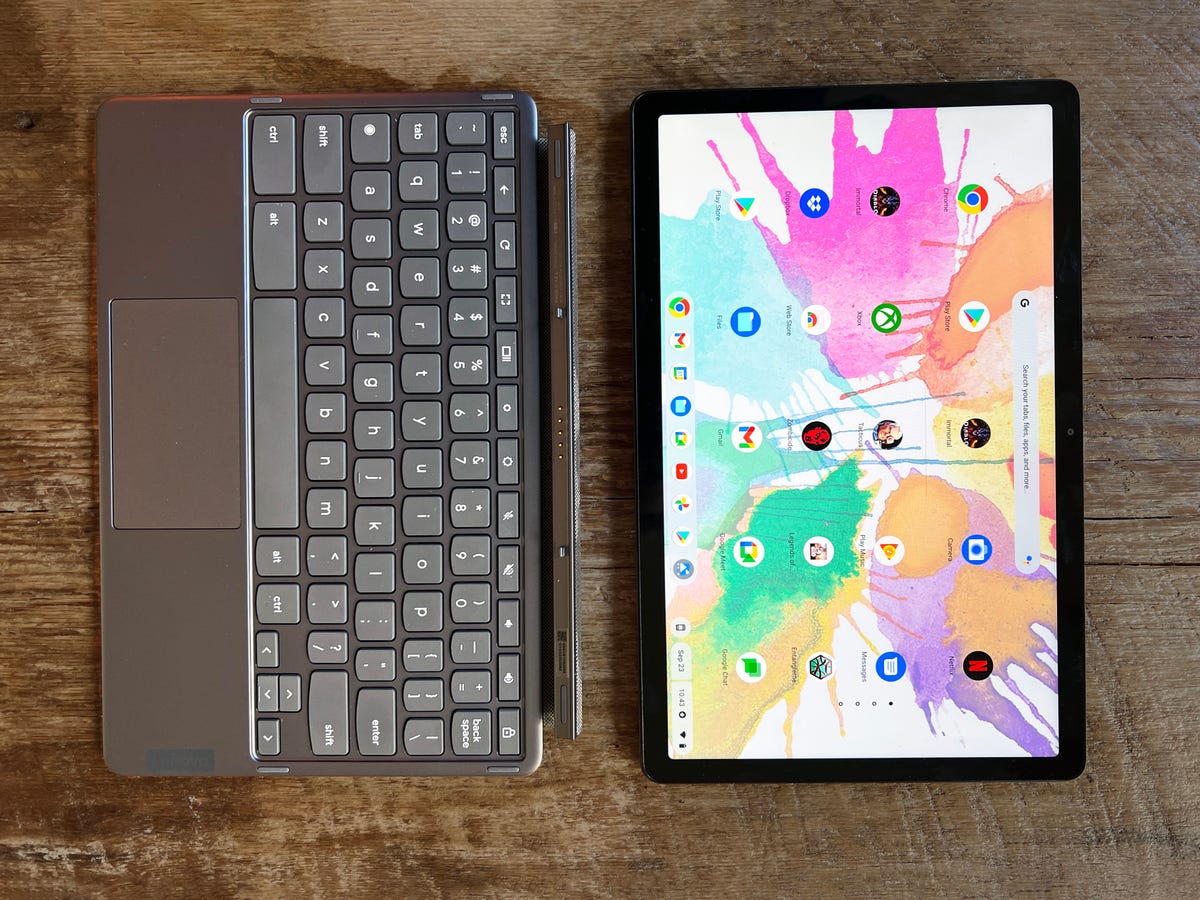
Lenovo Duet with keyboard cover

Dan Ackerman/CNET

As a Chromebook, the Duet is less capable than a Windows device in some respects, but as modern Chromebooks can run almost any Android app, the use cases where this would make a real difference to you continue to narrow. And head-to-head, a sub-$500 computer running ChromeOS is usually going to feel speedier and more responsive than a similarly priced Windows PC, because of the lighter OS. 

Read more: How to Buy a Budget Laptop in 2022

Keyboard and kickstand 

I’ve always said the keyboard cover design and build quality are the best things about the Surface line, and that’s true for the Lenovo Duet as well. The Lenovo keyboard is similarly solid, not flimsy like some other clip-on keyboards, and its smallish keys have excellent depth and a satisfying clacky feel. The tiny touchpad, in contrast, is the single most annoying thing about this system — it’s usable, but doesn’t feel as accurate or responsive as I’d like. 

Here’s a quick ChromeOS trackpad tip. If
Read More

Bryton Rider S800 review – wonderful bike computer, woeful app

Bryton Rider S800 review – wonderful bike computer, woeful app

Bryton is not a name that springs to mind when you think of the best cycling computers (opens in new tab), so much so that this particular model was boxed up with a casquette, bidon, a pair of cycling socks and a waterproof case for your phone presumably with the purpose of increasing brand awareness. 

Plugging in into the USB-C charger it switched on quickly and then you’re prompted to download the Bryton Active app. This is where it went wrong… 

Bryton Rider S800: set-up

Bryton app screenshot

(Image credit: Tom Epton)

The Bryton Active app feels unfinished, the user interface is unattractive compared to those of the market leaders and it’s difficult to navigate. 

Pairing the head unit to the app was a difficult process in itself, taking a long time for the two to find each other. Navigating around the app was tricky, with a lot of ‘non-obvious’ menu names not making things easier. 

For example, when trying to change the data fields seen on the head unit for my interval session the menu title for this within the app was “Grid Setting”. Once my ride was done, it took an age to sync – and this is something that has not improved with subsequent rides such that now I just plug it into my laptop to get the data.

Mapping and navigation

Bryton Rider S800 showing navigation

(Image credit: Bryton)

The mapping function was fine, though again somewhat ruined by the difficulties with the app. Getting routes from the app to the head unit is a lot of faff – any data sharing between the two seems to take multiple attempts and be very slow. Due to the huge screen, the maps functionality on the head unit is quite good – it’s clear what kind of roads are which and the turn by turn navigation is great. It includes features like auto-rerouting and route retracing too.

Screen

Bryton Rider S800 home screen

(Image credit: Bryton)

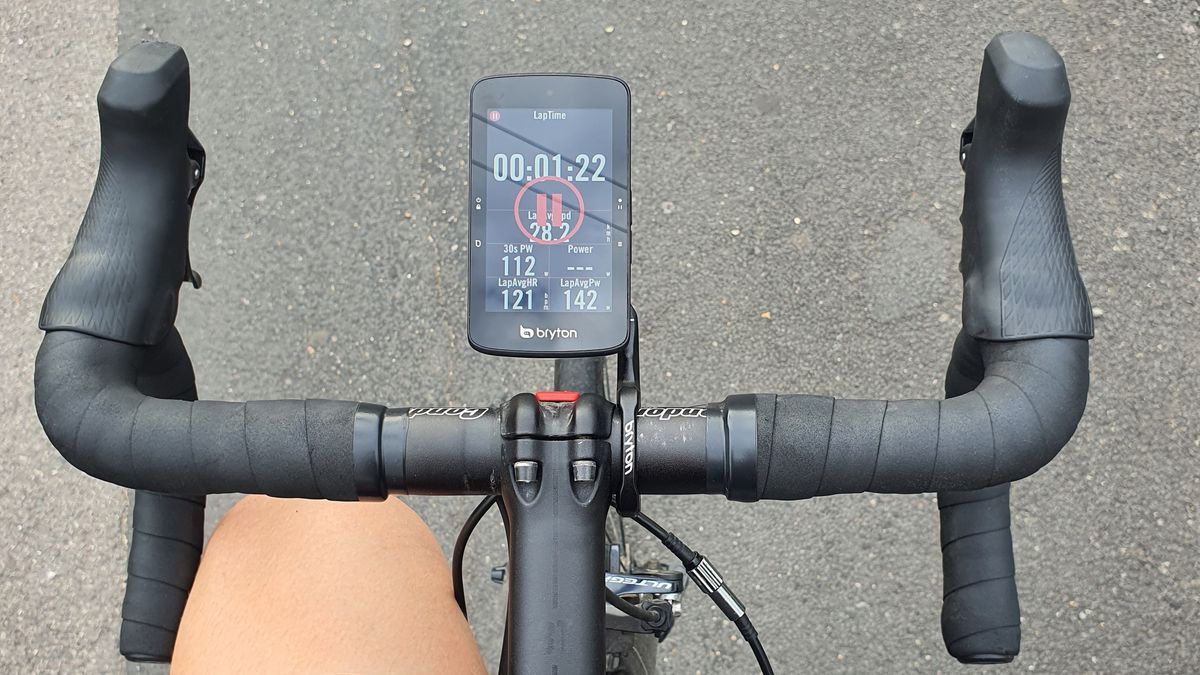
The main redeeming factor of the Bryton S800 is the touchscreen – it’s huge. It’s 8.6cm along the diagonal which did make it look a bit silly between my 36cm bars but these are admittedly on the narrow side. 

Once you’ve figured out how to change data fields, these are numerous. The colours are bright and clear – swiping between screen options is quick and easy. 

The screen makes use of, according to Bryton, Memory In Pixel technology (MIP). This is a battery saving bit of tech – the idea being that only pixels which need to be refreshed are updated each time the screen changes such that no power is diverted to refreshing pixels that remain the same. 

Battery life and charging

Bryton claims a 36-hour battery life for the Rider S800 which is impressive for a device with a bright screen and while I’ve not been on a 36-hour ride, it does seem to never lose power. This battery life is due to the MIP screen technology.

The ride

Bryton Rider S800

(Image

Read More

Wired2Fire Reaper gaming PC review

Wired2Fire Reaper gaming PC review

The prevailing wisdom is that pre-built systems are still the best way of getting an up-to-date graphics card. As prices for graphics cards normalise this may not be the case in the not too distant future, but right now, it’s still our recommendation for the most sought-after cards. Cards like the Nvidia GeForce RTX 3070 you’ll find inside this new Wired2Fire Reaper gaming PC.

Wired2Fire has sought to piece together a machine that offers decent value for money, balancing the spec in order to hit its £1,649 price point. So while it employs one of the latest Intel Alder Lake CPUs, it isn’t the top model, but the more affordable Core i5 12600KF. 

Don’t let that put you off though, this is a phenomenal chip and indeed is our top recommendation for gaming CPUs right now. Sure, there are faster chips out there, but this hits that value for money sweet spot better than any other when it comes to gaming in 2022.

With that in mind, it shouldn’t come as too much of a surprise to learn that the Reaper ships with DDR4 memory as opposed to the newer DDR5. While it would have been great to have DDR5 in here—simply because it’s the latest standard and fully supported by this CPU—this decision means that the machine comes with 32GB of DDR4 for less than it would have cost to ship this with 16GB of DDR5. That’s a trade-off I can definitely get behind. 

Reaper specs

Wired2Fire Raptor PC on a desk

(Image credit: Future)

CPU: Intel Core i7 12600KF
GPU: Nvidia RTX 3070 8GB
RAM: 32GB DDR4-3600
Motherboard: MSI Z690-A Pro WIFI DDR4
CPU Cooler: Arctic Liquid Freezer II 240
Storage: 1TB NVMe SSD
PSU: MSI MAG A650BN 650W 80 Plus Bronze
Connectivity: 6x USB 2.0, 2x USB 3.0, 1x USB Type-C, RJ45, 6x Audio, Wi-Fi 6, PS/2 keboard/mouse, HDMI, DisplayPort, front audio
OS: Windows 11 Home
Warranty: 5 year
Price:
£1,649

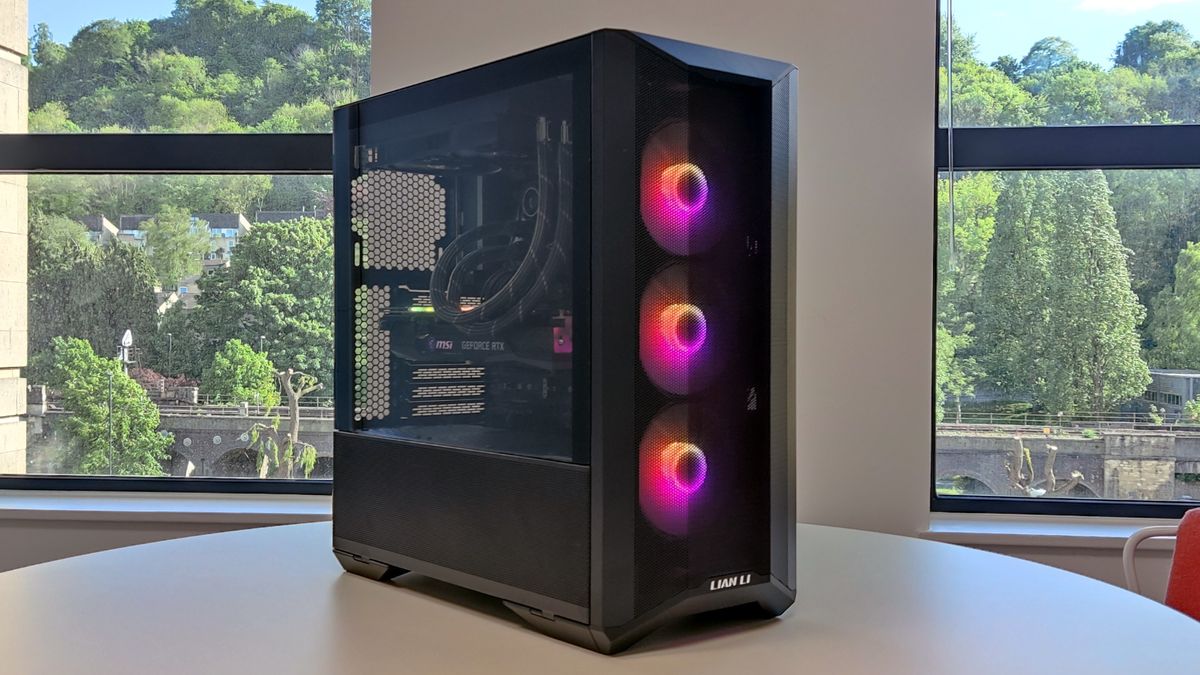
Along with a quality graphics card in the shape of the RTX 3070, an awesome CPU, and a whopping 32GB of DDR4 memory, you also get a quality motherboard in the shape of the MSI Z690-A DDR4 WIFI, a 1TB NVMe SSD, and a quality CPU cooler. All of this is built neatly into a Lian Li Lancool II Mesh case. 

As the name suggests this is a mesh fronted case affording plenty of airflow, and thanks to the three RGB fans behind that mesh, it makes for quite the light show as well. It’s annoying that the front panel USB Type-C port has been blanked out though, especially as there is a connector on the motherboard. At least there is a USB Type-C port on the rear IO.

The only real mark against the Reaper is that the installed SSD is a PCIe 3.0 model. When you’re dropping as much money as this on a system, you want more than just competent, you want something special, and the Lexar 1TB SSD you’ll find inside this machine comes up short on

Read More

New ContractWorks Review Reveals Lawful Technologies Adoption Will come with Superior Threat of Unsuccessful Implementation

New ContractWorks Review Reveals Lawful Technologies Adoption Will come with Superior Threat of Unsuccessful Implementation

Investigate reveals 77% of in-household counsel encounter unsuccessful engineering tasks, highlights keys for the effective implementation of present day lawful engineering

SANTA BARBARA, Calif., May well 04, 2022 (Globe NEWSWIRE) — ContractWorks, a foremost agreement management resolution for in-house lawful groups from SecureDocs, an Onit subsidiary, today unveiled the effects of a 3rd-party research spotlighting the obstacles of adopting legal engineering for company authorized functions groups. The study explores the causes for failed technological know-how implementations and identifies options to immediately and proficiently modernize legal operations.

ContractWorks commissioned Censuswide, a global insight-driven exploration corporation based mostly in the United Kingdom, to carry out a review of 350 in-property legal specialists across a vary of industries in the United States and United Kingdom. All respondents onboarded new technologies options since the commence of the COVID-19 pandemic, with far more than 50 % (57%) stating their team’s adoption of know-how was accelerated by at minimum a few a long time. However, far more than a few quarters of in-residence counsel (77%) knowledge failed know-how implementations and point out the most typical elements contributing to the failure as lengthy processes (38%), overcomplicated answers (36%) and technology unfit for their precise requirements (33%).

Other important findings consist of:

  • Nine out of 10 in-dwelling lawyers wrestle with technology methods applied by their businesses.

  • 29% doubt their employer understands what is ideal for the business soon after a failed technological innovation adoption.

  • 27% say a unsuccessful implementation would make them contemplate leaving their task, although one in four say it makes them resent their job.

On the other hand, the examine concludes that legal departments should really not be deterred by the risk of unsuccessful adoption. Automating time-consuming and handbook processes with user-welcoming, fast-to-apply and objective-built answers boosts operational effectiveness in just lawful companies, which in change moves their companies forward. When successfully implemented, legal engineering would make attorneys and lawful functions teams a lot more successful, much less probable to make errors and much more pleased with their do the job.

“To be certain the profitable adoption of legal know-how, firms must comply with 3 easy rules,” explained Mark Rhodes, Controlling Director of SecureDocs United kingdom. “First, concentration on the greatest precedence dilemma to resolve next, determine what a effective implementation appears to be like just before building an expenditure and third, get your end users on the journey with you due to the fact they are the kinds adopting and working with the technological know-how.”

To understand a lot more about ContractWorks, take a look at www.contractworks.com.

About ContractWorks
ContractWorks from SecureDocs is employed by hundreds of in-home lawful teams in organizations across the globe, enabling them to just take manage of their contracts by producing it much easier to execute, store, and monitor corporate agreements. Functions incorporate superior lookup with OCR, good doc tagging with AI, computerized alerts for vital dates, thorough reporting, and straightforward electronic signature. SecureDocs has workplaces in Santa Barbara, California and London, Uk and is a

Read More

Apple Mac Studio review: finally

Apple Mac Studio review: finally

The Mac Studio is the computer everyone wanted the Mac Pro to be.

Apple’s 2019 desktop release was supposed to be the computer that professional Mac users had been waiting for. It was endlessly configurable with powerful Intel processors and AMD graphics chips, and its top-end configuration hovered around $52,000. After the abject failure of the trashcan 2013 Mac Pro, it was poised to be the first Apple machine that could legitimately provide the power that professionals in creative fields — historically, the folks who turn out in droves to buy these Apple machines — really need.

But while it was a gorgeous and powerful computer, it also had some issues. We bought a $16,599 model, and while that wasn’t the most specced-out option, it was one that creative professionals around The Verge and Vox Media felt could handle their heavy editing workloads. We gave that computer to all kinds of artists, producers, and designers. And they didn’t love it. They didn’t feel it was any faster than their years-old setups, and they ran into all the same issues they always did. In particular, not enough software was optimized for that Mac Pro’s approach to high-performance desktop computing, especially when it came to GPUs.

Since then, Apple has committed to making its own Apple Silicon chips, moving away from Intel and AMD. The first line of those chips, the M1 series, has been a smashing success in Mac laptops, the iMac, and the Mac Mini. And now it’s in the new Mac Studio, which comes in configurations with the M1 Max and new M1 Ultra chips. The Studio is Apple’s first professional computer running Apple Silicon, and with it comes a new way of designing chips that makes it easier for apps to access all the performance available.

I’ve, once again, given this device to a host of professionals on The Verge’s team, and the reactions I saw couldn’t be more different from those we saw in 2020. They were impressed. For their workloads, it’s faster than anything they’ve ever used. It’s changed what they can do.

So I’m relieved that I can finally, finally write this in a review: the Mac Studio is the computer professional Mac users have been waiting for.

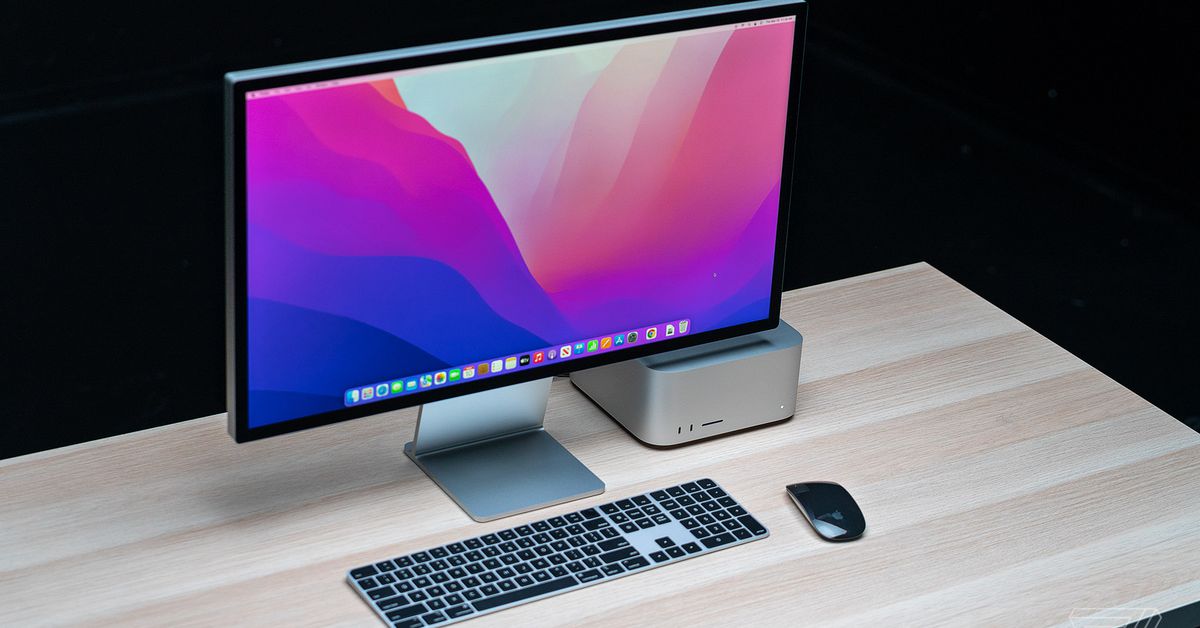
The Mac Studio is a nice-looking, compact computer. Someone mentioned to me that it looks like two Apple TVs stacked on top of each other, and now I can’t unsee it. You might also see it as a taller Mac Mini — either way, it’s a design Apple fans have seen before.

Like the Mac Mini, the Studio is designed to sit on your desk — it has the exact same footprint, just about twice as tall. It’s not like the Mac Pro that lives on

Read More

Gran Turismo 7 review: the grandaddy of racing games

Gran Turismo 7 review: the grandaddy of racing games

As a splash screen reminds you when you boot up Gran Turismo 7, this is the 25th-anniversary year of Sony’s flagship PlayStation racing game. It’s also been more than eight years and one whole console generation since we last saw a mainline, numbered entry in the series, the 2013 PlayStation 3 swan song Gran Turismo 6. These long spans of time loom large over the new game. Maybe they explain why it’s so preoccupied with legacy.

In the quarter century since “the real driving simulator” became a sensation with its involved physics and grainy photorealism, our relationship with cars has changed. Climate change has forced a reevaluation, and the internal combustion engine is on the way out. Can cars even be cool in 2022? “You won’t find as many people talking about car culture anymore,” director Kazunori Yamauchi said recently, adding that GT7 had been built with this new reality in mind.

Our relationship with racing games has changed, too, in the years since Gran Turismo 6. Back then, its main competitor was the Forza Motorsport series, which was made in GT’s image. Today, an upstart spinoff from those games has become a popular phenomenon by putting vibes first and borrowing the design of open-world adventures, culminating in the magnificent Forza Horizon 5, in which the cars — and the racing — were only part of the point.

an Alfa Romeo racing car crossing the finish line on the Trial Mountain circuit in Gran Turismo 7

Image: Polyphony Digital/Sony Interactive Entertainment

In 2017, though, developer Polyphony Digital looked to the future with Gran Turismo Sport, a multiplayer-first, live-service-inspired detour. It got many things right, not least the way it brought driver and safety rating systems from hardcore simulator iRacing into a more approachable arena. But it launched as a slender shadow of what the public expects of a Gran Turismo game; a traditional single-player campaign was only patched in as an afterthought, and many GT features, including the car modification system that has always been a hallmark of the series, never made it in.

This is the world Yamauchi and his team strive to confront in Gran Turismo 7. They seem to want it to be the Gran Turismo that fans remember, with all the features they love. They want — quite desperately, it seems — to get people excited about cars again. They want this all-encompassing series to carry all its baggage, plus over a century of motoring history, into the future.

It’s a testament to their enormous skill and passion that they largely succeed. Despite its big ambitions and wealth of content, Gran Turismo 7 always feels slick and manageable, and it’s a treat to see Polyphony bring its renowned technical gloss to the PlayStation 5. But still, it’s not what you would call light on its feet. At times it seems hemmed in by tradition, and at others, held back by a heavy guiding hand.

a blue Porsche 911 sits outside the Gran Turismo Café in Gran Turismo 7

Image: Polyphony Digital/Sony Interactive Entertainment

That’s not to say it’s without the eccentric flights of fancy that have long livened up a series with

Read More